Tuesday, 28 August 2012

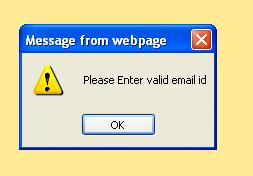
Form Validation with Java Script in .aspx.cs page


Form Validation with Java Script in .aspx.cs page


.aspx page
<%@ Page Language="C#" AutoEventWireup="true" CodeFile="Page Validation with Javascript.aspx.cs" Inherits="Page_Validation_with_Javascript" %>

<!DOCTYPE html PUBLIC "-//W3C//DTD XHTML 1.0 Transitional//EN" "http://www.w3.org/TR/xhtml1/DTD/xhtml1-transitional.dtd">

<html xmlns="http://www.w3.org/1999/xhtml">
<head runat="server">
    <title>Untitled Page</title>
    <style type="text/css">
        .style1
        {
            width: 100%;
            table-layout :fixed ;
        }
        .style2
        {
            width: 719px;
            table-layout:fixed ;
        }
        .style3
        {
            width: 719px;
            font-weight: bold;
            table-layout :fixed ;
        }
    </style>
</head>
<body bgcolor="#ffeb95">
    <form id="form1" runat="server">
    <div>
   
    </div>
    <table class="style1">
        <tr>
            <td align="right" class="style3">
                User Name</td>
            <td align="left">
                <asp:TextBox ID="txtusername" runat="server" Width="254px" Font-Bold="True"
                    Font-Names="Verdana" Font-Size="10px" ToolTip ="Enter User Name"></asp:TextBox>
            </td>
        </tr>
        <tr>
            <td align="right" class="style3">
                Password</td>
            <td align="left">
                <asp:TextBox ID="txtpassword" runat="server" ontextchanged="TextBox2_TextChanged" TextMode="Password"
                    Width="251px" Font-Bold="True"
                    Font-Names="Verdana" Font-Size="10px" ToolTip ="Enter Password"></asp:TextBox>
            </td>
        </tr>
        <tr>
            <td align="right" class="style3">
                Email Id</td>
            <td align="left">
        <asp:TextBox ID="txtemail" runat="server" Width="249px" Font-Bold="True"
                    Font-Names="Verdana" Font-Size="10px" ToolTip ="Enter Email Id"></asp:TextBox>
   
            </td>
        </tr>
        <tr>
            <td align="right" class="style2">
                &nbsp;</td>
            <td align="left">
                <asp:Button ID="btnsubmit" runat="server" Text="Submit" onclick="btnsubmit_Click"
                    ToolTip ="Click to Submit" BackColor="#0033CC" Font-Bold="True"
                    Font-Names="Verdana" Font-Overline="False" Font-Size="11px" ForeColor="White" />
            </td>
        </tr>
    </table>
    </form>
</body>
</html>


using System;
using System.Collections;
using System.Configuration;
using System.Data;
using System.Linq;
using System.Web;
using System.Web.Security;
using System.Web.UI;
using System.Web.UI.HtmlControls;
using System.Web.UI.WebControls;
using System.Web.UI.WebControls.WebParts;
using System.Xml.Linq;

public partial class Page_Validation_with_Javascript : System.Web.UI.Page
{
    protected void Page_Load(object sender, EventArgs e)
    {

    }
    protected void TextBox2_TextChanged(object sender, EventArgs e)
    {

    }
    public bool validate()
    {
        if (txtusername.Text.Length < 0 || txtusername.Text == null || txtusername.Text == "")
        {
       

       Page.RegisterClientScriptBlock("alert", "<script language='javascript' type='text/javascript'>alert ('Please enter user name');</script>");
       txtusername.Focus();
        return false;
        }
        if (txtpassword.Text == "" || txtpassword.Text.Length < 0 || txtpassword.Text == null)
        {
            Page.RegisterClientScriptBlock("alert", "<script language='javascript' type='text/javascript'>alert('please enter password')</script>");
            txtpassword.Focus();
            return false;
        }
        if (txtemail.Text == "" || txtemail.Text.Length < 0 || txtemail.Text == null)
        {
            Page.RegisterClientScriptBlock("alert", "<script type='text/javascript' language='javascript'> alert('please Enter Email Id')</script>");
            txtemail.Focus();
            return false;
        }

        else

        {
            int chat=-1;
            int chdot=-1;
            chat = txtemail.Text.LastIndexOf('@');
            chdot = txtemail.Text.LastIndexOf('.');

            if (txtemail.Text.Substring(1).ToCharArray ()[1] == '.')
            {
                Page.RegisterClientScriptBlock("alert", "<script type ='text/javascript' language='javascript'>alert('Please Enter valid email id')</script>");
                txtemail.Focus();
                return false;
            }
            if (txtemail.Text.Substring(1).ToCharArray ()[1] == '@')
            {
                Page.RegisterClientScriptBlock("alert", "<script type='text/javascript' language='javascript'>alert('Please Enter Valid Email Id')</script>");
                txtemail.Focus();
                return false;
            }
           
            if (chdot <2)
            {
                Page.RegisterClientScriptBlock("alert", "<script type ='text/javascript' language='javascript'>alert('Please Enter valid Email id')</script>");
                txtemail.Focus();
                return false;
            }
            if (chat < 1)
            {
                Page.RegisterClientScriptBlock("alert", "<script type ='text/javascript' language='javascript'>alert('Please Enter valid Email id')</script>");
                txtemail.Focus();
                return false;
            }
            if(chat >chdot )
            {
                Page.RegisterClientScriptBlock("alert", "<script type='text/javascript' language='javascript'>alert('Please Enter valid email id')</script>");
                txtemail.Focus();
                return false;
            }
        }

        return true ;
   
   
    }


    public void cleartext()
    {
        txtusername.Text = "";
        txtpassword.Text = "";
    }

    protected void   btnsubmit_Click(object sender, EventArgs e)
    {
        if (validate())
        {
            Page.RegisterClientScriptBlock("alert", "<script type ='text/javascript' language='javascript'>alert('validation completed successfully')</script>");
           
        }
     }
}

Monday, 27 August 2012

How to bind three Gridview Control with a Single Stored Procedure

How to bind three Gridview Control with a Single Stored Procedure


In Disconnected Architechture

<%@ Page Language="C#" AutoEventWireup="true" CodeFile="twogridbindwith single stored procedure.aspx.cs" Inherits="twogridbindwith_single_stored_procedure" %>

<!DOCTYPE html PUBLIC "-//W3C//DTD XHTML 1.0 Transitional//EN" "http://www.w3.org/TR/xhtml1/DTD/xhtml1-transitional.dtd">

<html xmlns="http://www.w3.org/1999/xhtml">
<head runat="server">
    <title>Untitled Page</title>
</head>
<body>
    <form id="form1" runat="server">
    <div>
   
    </div>
    <asp:GridView ID="GridView1" runat="server" BackColor="Red" Font-Bold="True"
        ForeColor="White">
    </asp:GridView>
    <br />
    <asp:GridView ID="GridView2" runat="server" BackColor="Green" ForeColor="White">
    </asp:GridView>
    <br />
    <asp:GridView ID="GridView3" runat="server" BackColor="#0099FF"
        Font-Bold="True" ForeColor="White">
    </asp:GridView>
    </form>
</body>
</html>


using System;
using System.Collections;
using System.Configuration;
using System.Data;
using System.Linq;
using System.Web;
using System.Web.Security;
using System.Web.UI;
using System.Web.UI.HtmlControls;
using System.Web.UI.WebControls;
using System.Web.UI.WebControls.WebParts;
using System.Xml.Linq;
using System.Data.SqlClient;

public partial class twogridbindwith_single_stored_procedure : System.Web.UI.Page
{
    SqlDataAdapter da;
    DataSet ds;
   
    string constr = ConfigurationManager.ConnectionStrings["employyeeConnectionString"].ConnectionString;
    protected void Page_Load(object sender, EventArgs e)
    {
        da = new SqlDataAdapter("exec [twotable]", constr);
        ds = new DataSet();
        da.Fill(ds);
        GridView1.DataSource = ds.Tables[1];
        GridView1.DataBind();
        GridView2.DataSource = ds.Tables[0];
        GridView2.DataBind();
        GridView3.DataSource = ds.Tables[2];
        GridView3.DataBind();
    }
}
In Connected Architechture


<%@ Page Language="C#" AutoEventWireup="true" CodeFile="twogridbindwith single stored procedure.aspx.cs" Inherits="twogridbindwith_single_stored_procedure" %>

<!DOCTYPE html PUBLIC "-//W3C//DTD XHTML 1.0 Transitional//EN" "http://www.w3.org/TR/xhtml1/DTD/xhtml1-transitional.dtd">

<html xmlns="http://www.w3.org/1999/xhtml">
<head runat="server">
    <title>Untitled Page</title>
</head>
<body>
    <form id="form1" runat="server">
    <div>
   
    </div>
    <asp:GridView ID="GridView1" runat="server" BackColor="Red" Font-Bold="True"
        ForeColor="White">
    </asp:GridView>
    <br />
    <asp:GridView ID="GridView2" runat="server" BackColor="Green" ForeColor="White">
    </asp:GridView>
    <br />
    <asp:GridView ID="GridView3" runat="server" BackColor="#0099FF"
        Font-Bold="True" ForeColor="White">
    </asp:GridView>
    </form>
</body>
</html>

Stored Procedure


create proc [dbo].[twotable]
as
begin


select product.*,[member name]=(select top 1 member.member_name from member where member.productid=product.productid) from product
select product.*,[member number]=(select count( member.member_name) from member where member.productid=product.productid ) from product

select product.*,[Total Member number]=(select count( member.member_name) from member where member.productid=product.productid) from product

end

using System;
using System.Collections;
using System.Configuration;
using System.Data;
using System.Linq;
using System.Web;
using System.Web.Security;
using System.Web.UI;
using System.Web.UI.HtmlControls;
using System.Web.UI.WebControls;
using System.Web.UI.WebControls.WebParts;
using System.Xml.Linq;
using System.Data.SqlClient;

public partial class twogridbindwith_single_stored_procedure : System.Web.UI.Page
{
   
    SqlDataReader dr;
    SqlCommand com;
    string constr = ConfigurationManager.ConnectionStrings["employyeeConnectionString"].ConnectionString;
    SqlConnection con;
   
    protected void Page_Load(object sender, EventArgs e)
    {
        con=new SqlConnection (constr );
        com = new SqlCommand("exec [twotable]", con);
        con.Open();

        dr = com.ExecuteReader();
        GridView1.DataSource = dr;
        GridView1.DataBind();
        dr.NextResult();
        GridView2.DataSource = dr;
        GridView2.DataBind();
        dr.NextResult();
        GridView3.DataSource = dr;
        GridView3.DataBind();
    }
}